Technical guide · Watchful Box prototype

Watchful Box, with the PoE switch.

A small computer that records your cameras and watches them for what you asked, plus an 8-port PoE switch that powers them. It installs two ways: as the site's only recorder, or next to a camera system that's already there.

Rev. 0.1 · October 2026Built on ASUS PN63-S1Ubuntu 24.04 · Watchful station
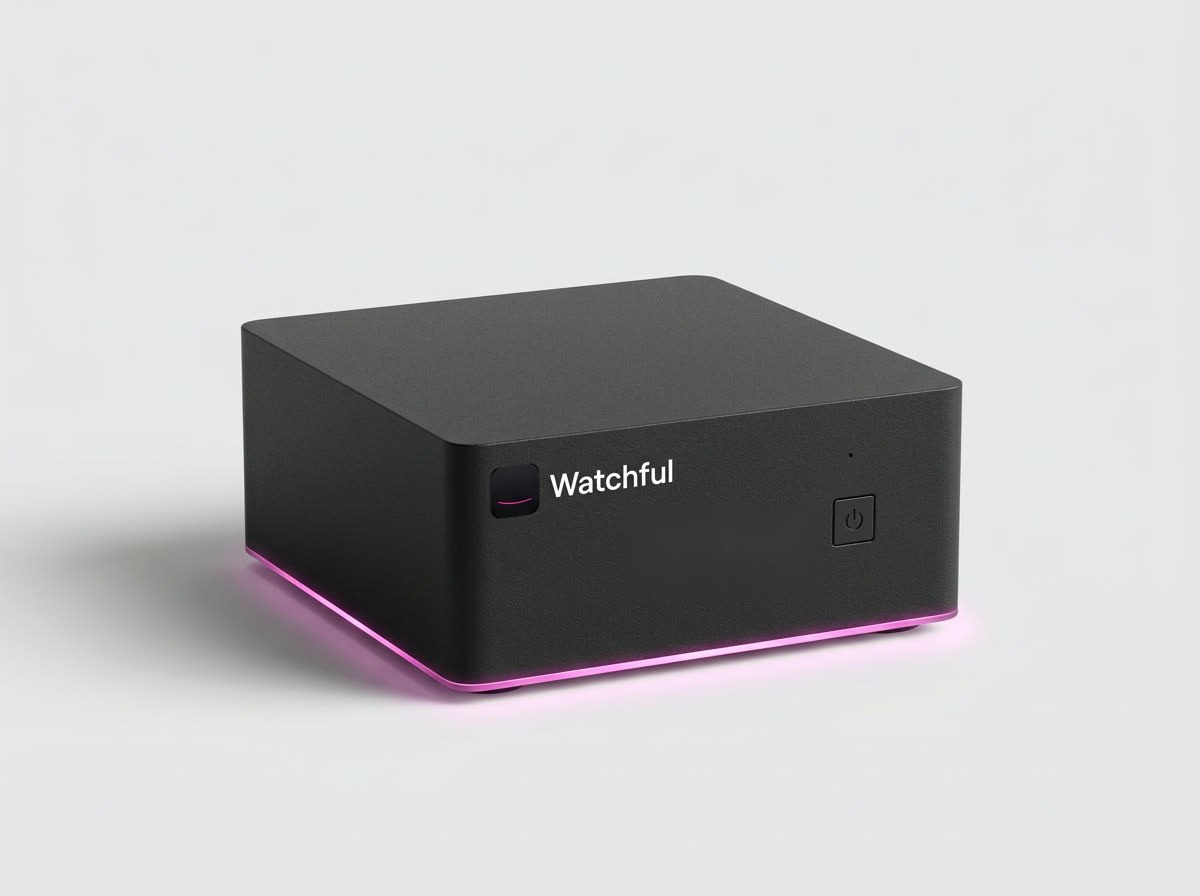
The Watchful Box: a compact matte black mini PC with the Watchful mark and name on the front and a thin magenta light along its base.
Fig. 1The Watchful Box. An OEM mini PC with our mark and light line; the prototype runs on an ASUS PN63-S1.

1What's in the kit

ItemWhat it isUsed in
Watchful BoxIntel Core i5-11300H, 16 GB DDR4, 1 TB NVMe for the system and the event database. Wi-Fi, Bluetooth, 2.5 GbE, HDMI and a 3.5 mm audio jack built in.Prototype: ASUS PN63-S1. No local AI model: the AI checks run in the cloud.A B
10 TB video driveWD Purple Pro 10 TB in a powered USB 3.2 enclosure, for continuous recording.A B, optional
Camera network adapterUSB 3 to 2.5 GbE. Gives the cameras their own network, separate from the site's.A
PoE switch8 ports, all PoE+ (802.3at), at least 60 W in total, fanless, unmanaged. For example the Netgear GS308PP, 83 W.A
SpeakerPowered, with Bluetooth and a wired line-in, for spoken alerts and announcements.A B, optional

2Ports and what goes where

Port on the boxMode A · own recorderMode B · join an existing system
2.5 GbE (built in)To the site's router: internet and the phone appTo a free port on the site's camera switch, or a port on the camera network that also reaches the internet
USB 3 · network adapterTo the PoE switch: the private camera networkNot used
USB 3 · driveThe 10 TB video driveOptional: a second copy of the recordings
HDMIOptional: a TV for a live wall of the cameras
3.5 mm audio · BluetoothOptional: the speaker
Wi-FiFallback only. Cameras and the site link should be wired.

3Mode A · the site's own recorder

For a site with no recorder, or with cameras that aren't recorded today. Example: a small gym with four ceiling cameras.

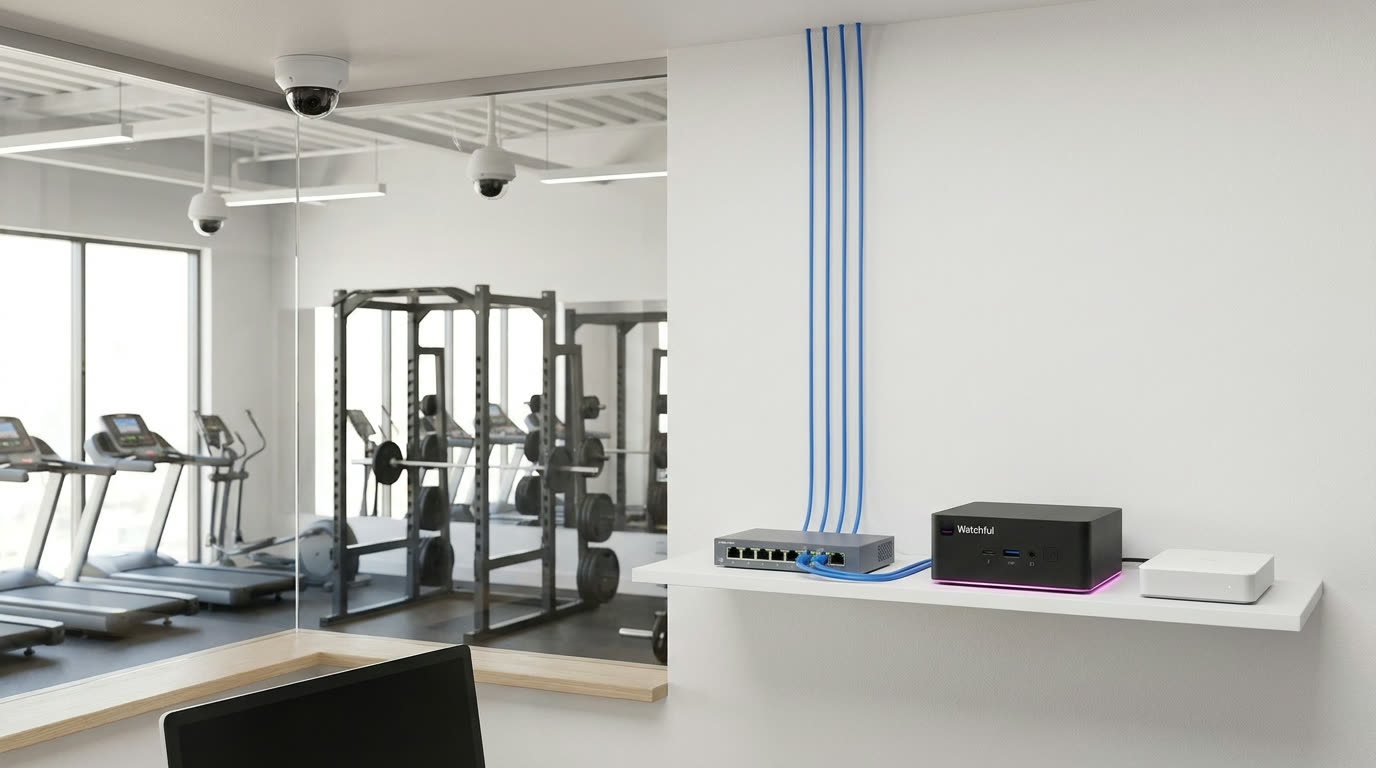
A shelf in a small gym's office: a PoE switch with four camera cables running up the wall, one cable to the Watchful Box, and the white 10 TB drive beside it. The gym floor with dome cameras is visible through the glass.
Fig. 2A small gym. Four camera cables go up the wall to the PoE switch, one cable goes from the switch to the box, and the 10 TB drive sits beside it.

Wiring

  1. Each camera to the PoE switch, one Cat6 cable each (up to 100 m). The switch powers them.
  2. The switch to the box's USB network adapter, one short cable.
  3. The box's 2.5 GbE port to the site's router.
  4. The 10 TB drive to a USB 3 port, then power on the switch, the drive and the box.
  5. In the phone app, the box finds the cameras on its camera network. Name them and write the first instructions.
Cameras
Up to 8 on one switch; up to 16 with a second switch on the same adapter.
Recording
Every camera, continuously, on the 10 TB drive: about 2 months for 8 cameras, 4 for 4 (at about 20 GB per camera per day).
Camera network
Private, served by the box (10.88.0.0/24). The cameras never touch the site's network.
Internet
Outbound only. About 5–10 Mbps of upload is plenty: only a few frames go to the AI, and only when something moves.
PRIVATE CAMERA NETWORK Camera 1 Camera 2 Camera 3 Camera 4 power + video PoE switch 8 ports USB adapter Watchful Box records · finds cameras + 10 TB drive (USB) 2.5 GbE Router site network Cloud AI Phone app
Fig. 3Mode A wiring. The cameras sit on the box's own network behind the PoE switch; only the box talks to the site's router.

4Mode B · join an existing camera system

For a site that already has cameras, switches and a recorder. Example: a residential tower with 16 cameras on two PoE switches and an NVR. The existing system keeps working as it is; the box only adds the watching.

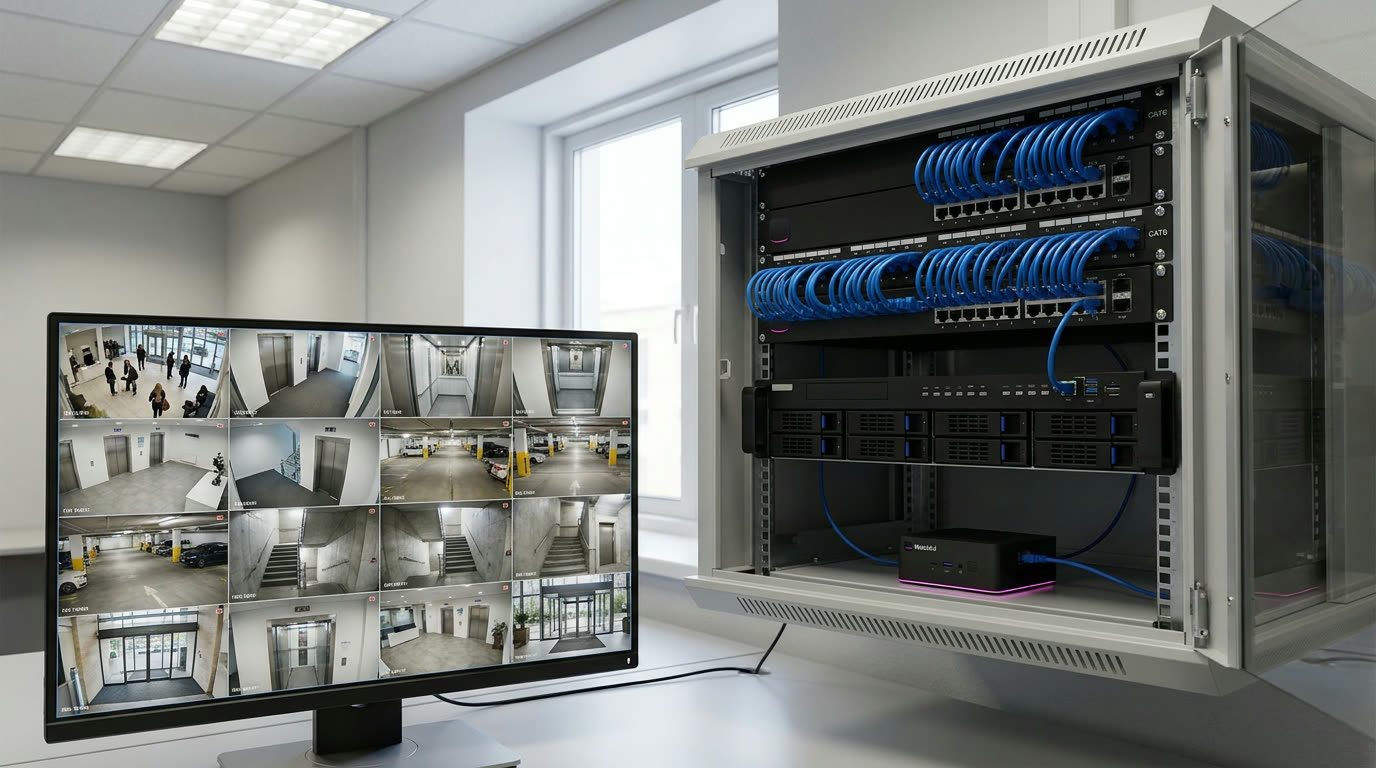
A building's technical room: a rack with two full network switches and an existing video recorder, the small Watchful Box on the shelf below with one cable into a switch, and a monitor showing sixteen camera views.
Fig. 4A residential tower's technical room. The existing switches and recorder stay; the Watchful Box takes one free switch port.

Wiring

  1. The box's 2.5 GbE port to a free port on the camera switch, the same network the cameras and the recorder are on. No PoE switch or adapter needed.
  2. Make sure that network can reach the internet, or ask IT for an outbound-only route for the box.
  3. In the phone app, add the cameras one of two ways: straight from each camera's second stream (a username and password per camera), or from the recorder's channels (one login).
  4. Optional: the 10 TB drive for a second copy of the recordings, and the speaker.
Cameras
Up to 16 per box. A bigger site adds a box per 16 cameras.
Recording
The existing recorder keeps recording. The box keeps every alert with its clip; the 10 TB drive is optional.
Network load
16 low-resolution streams, about 16–32 Mbps. The 2.5 GbE port has plenty of room.
Internet
Outbound HTTPS only. No port forwarding; remote access runs over Watchful's own secure network.
THE SITE'S EXISTING CAMERA SYSTEM Cameras 1–8lobby, lifts, entrances Cameras 9–16car park, stairwells PoE switch 1 PoE switch 2 Existing NVRkeeps recording Watchful Box reads the 16 streams 1 cable2.5 GbE via the site Router outbound only Cloud AI Phone app
Fig. 5Mode B wiring. Nothing in the existing system changes; the box joins the camera network with one cable and reads the streams the cameras or the recorder already share.

Ask the site's IT or installer for: a free port on the camera switch (or access to the camera network), a username and password for the cameras or the recorder, RTSP or ONVIF switched on, and an outbound internet route for the box.

5Mode A or Mode B

Mode A · own recorderMode B · join an existing system
Typical siteSmall gym, shop, office, clinicResidential tower, hotel, hospital, warehouse
What we bringBox, 10 TB drive, PoE switch, adapterBox only (drive and speaker optional)
CamerasUp to 8 per switch, 16 per boxUp to 16 per box; more boxes for more
Who recordsThe Watchful BoxThe existing recorder (the box keeps alert clips)
Cables to runOne per camera, plus two at the boxOne
Install timeAbout a day with new camerasAbout an hour, once IT gives access

6Before you leave the site

  1. Every camera shows live in the phone app, with its name and place.
  2. Recording is running (Mode A): the 10 TB drive shows in the box's health page.
  3. Three instructions are written with the site manager, each sent to the right person.
  4. One test alert reached a phone, and was marked handled.
  5. The box restarts by itself after a power cut: unplug it once and check.
  6. Labels: every camera cable labelled at the switch.